
ThreatConnect
TQL Generator (Powered by AI)
Role
Lead Designer on Project
Cross-Functional Partners
Product Manager, AI/LLM Engineers, & Front-end Engineers and Back-end Engineers
Core Focus
AI Interaction Mechanics, Cognitive Load Reduction, & B2B Enterprise SaaS
Overview & Challenge
Project Summary
ThreatConnect's proprietary database query language (TQL) is very powerful, but has a steep learning curve and rigid syntax nuances. While a basic filter UI existed for simple queries, threat intelligence analysis often required advanced TQL. This reliance on syntax memorization created a steep technical barrier, slowing down analyst triage velocity and increasing dependency on platform power users.
The Challenge
Prior to this initiative, mastering TQL syntax was daunting and highly cumbersome, posing a massive learning curve for junior threat analysts or new platform users. Constructing expressions required memorizing an array of strict operator sets, type parameters, and specific underscore naming standards
To solve this, I led the end-to-end user experience and interface design for an LLM-powered query builder that translates natural language prompts into precise, valid TQL strings. By architecting systemic feedback loops, clear processing feedback, and robust error guardrails, the interface successfully removed the technical barrier to entry and empowered analysts to save and run sophisticated threat intelligence queries using plain English.
Process & Execution
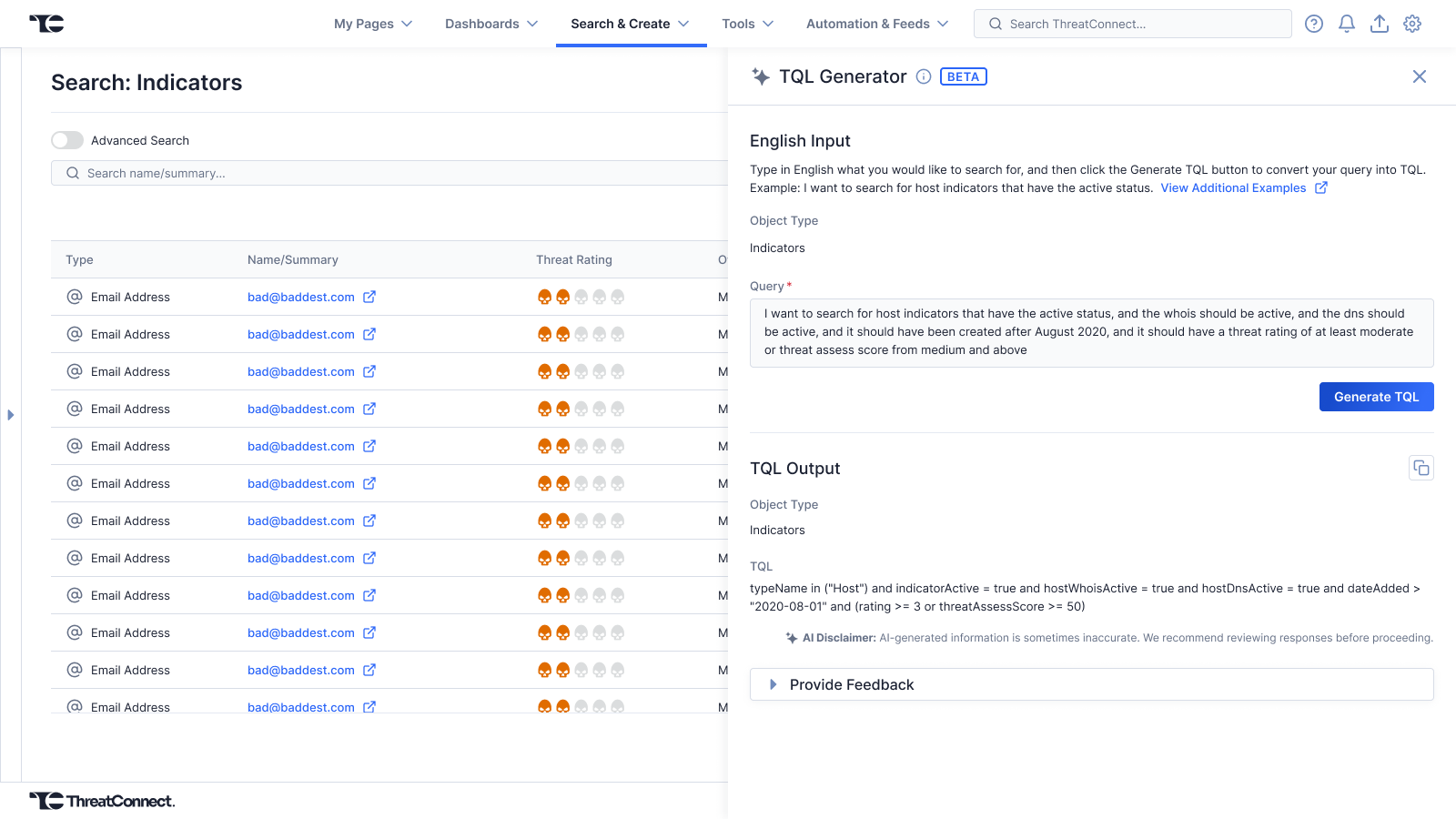
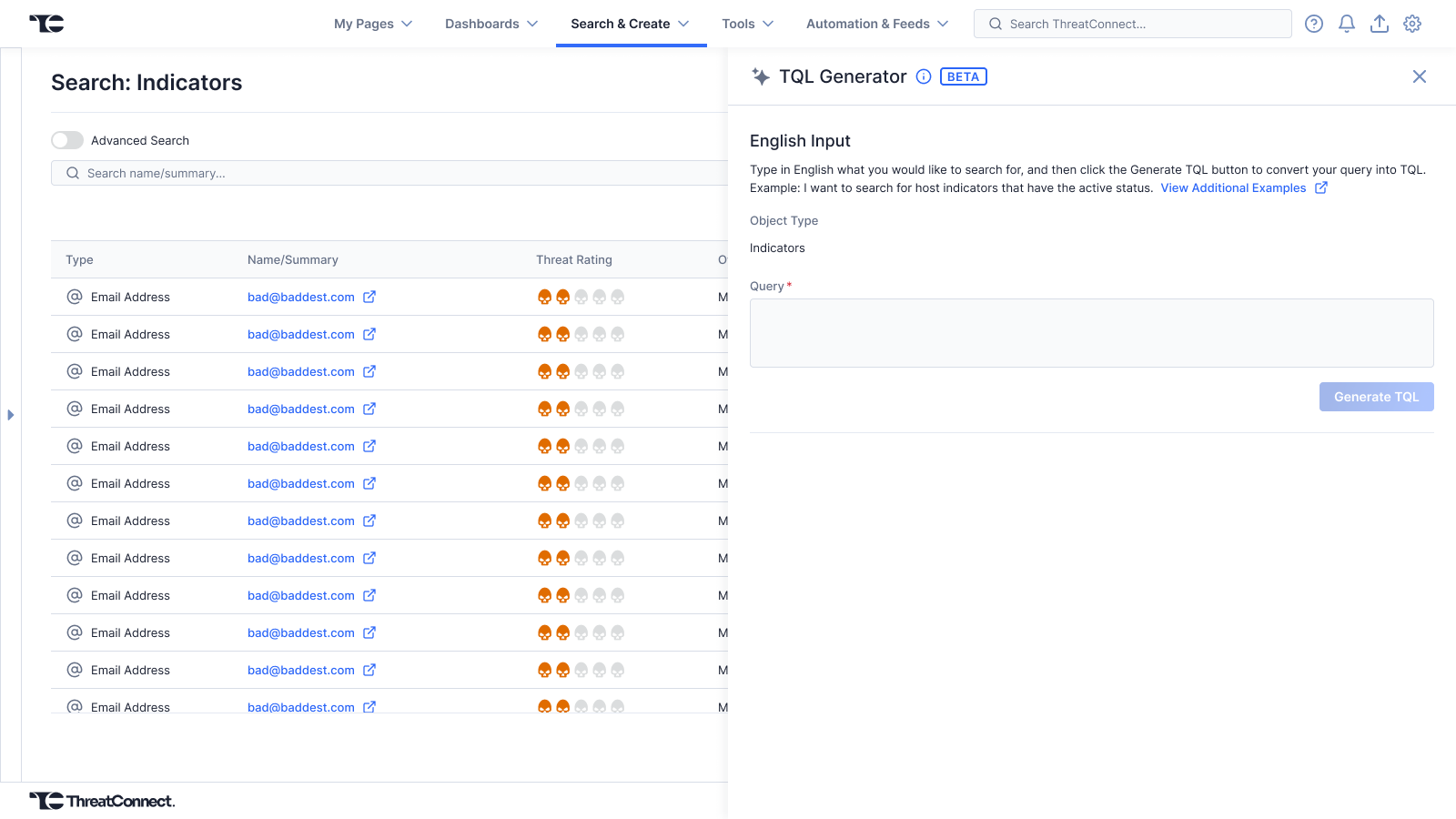
Translation Interface
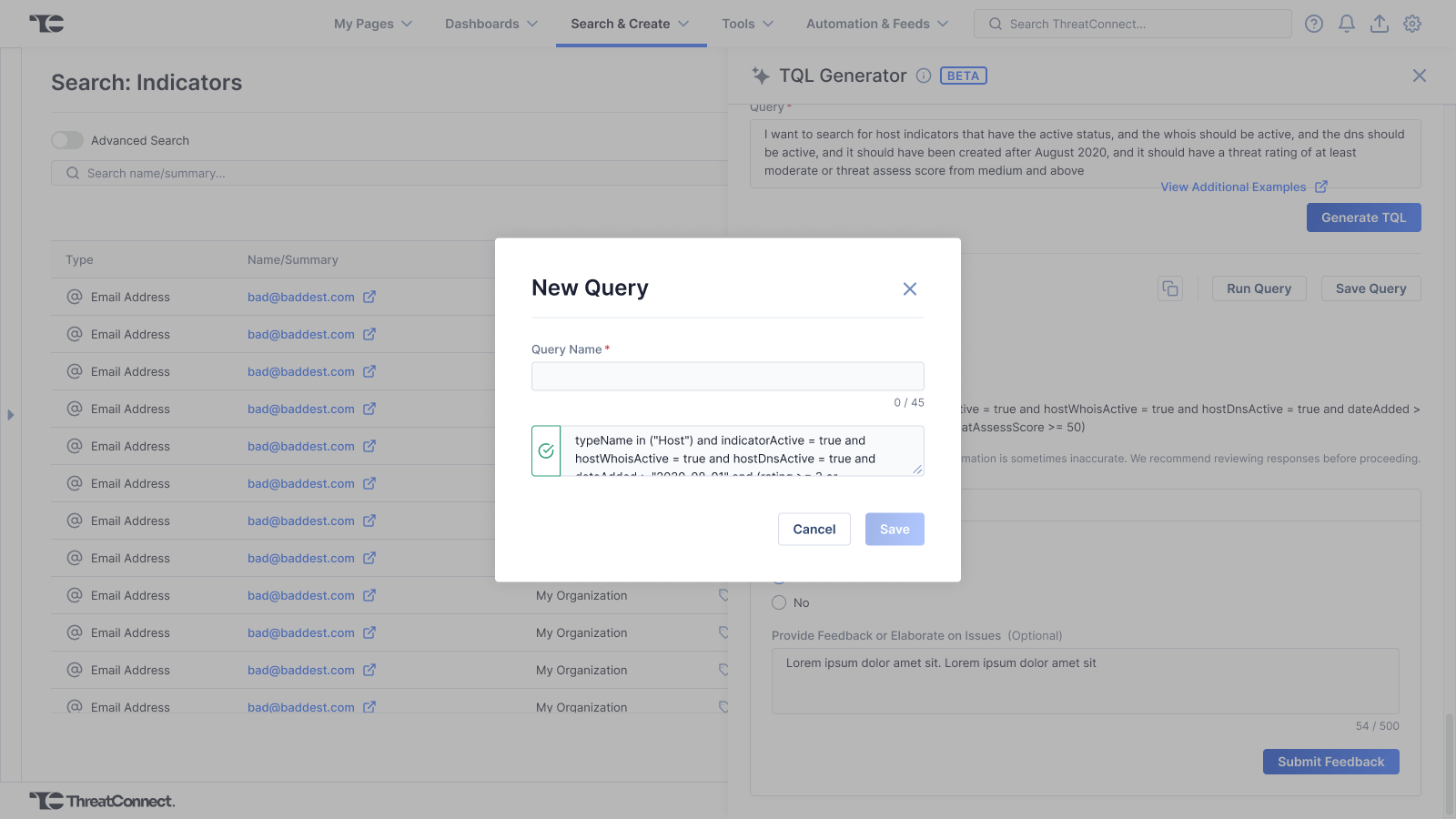
I designed a progressive disclosure interface beginning with a natural language input area. Once the user submits a plain-English prompt, the UI displays the generated TQL query. To maximize the feature's value, I positioned “Copy”, “Save”, & “Run Query” actions within the output section. This layout allows analysts to instantly validate, save, or execute the query without breaking their mental momentum.
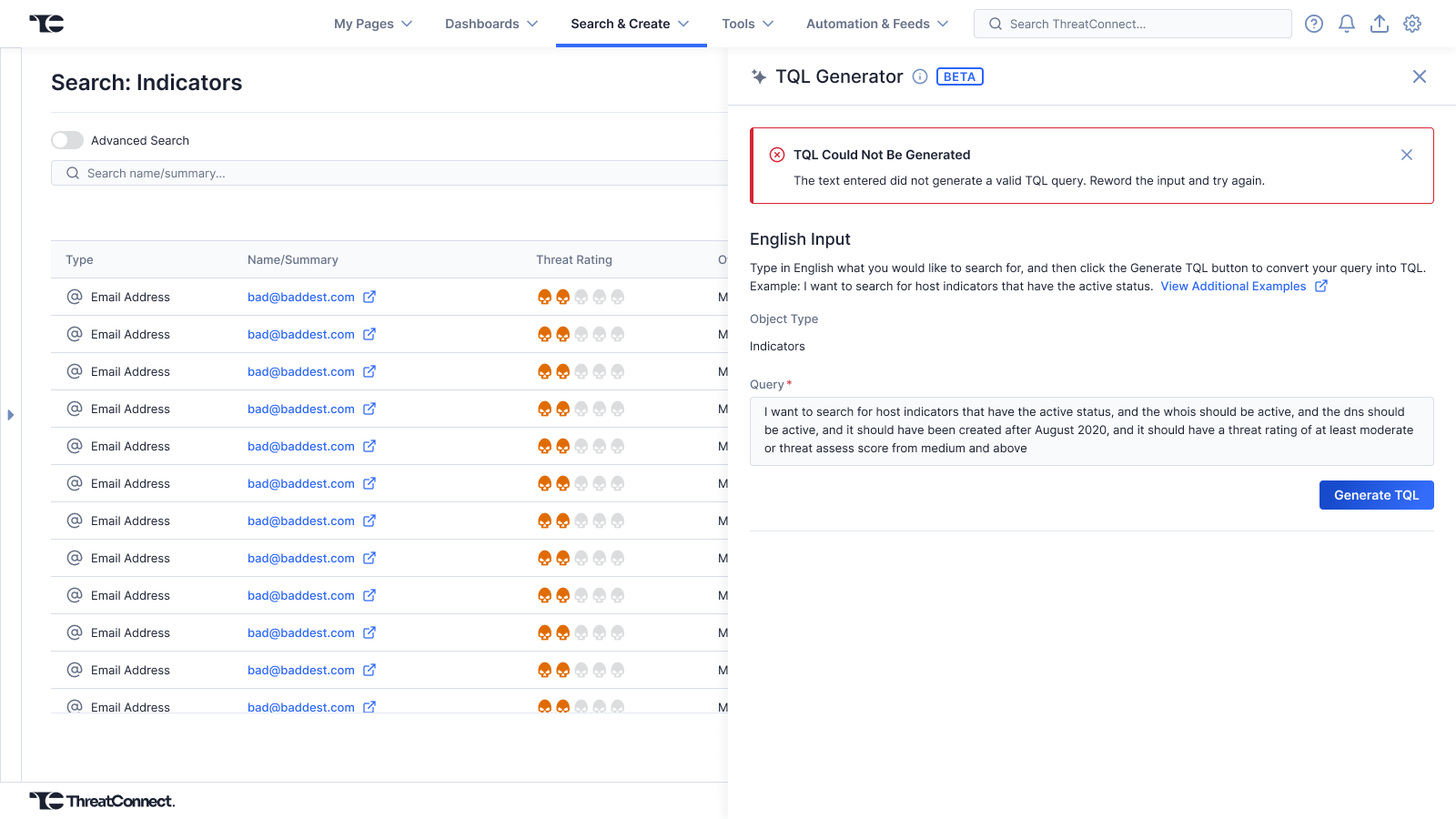
System Status & AI Failures
I created a set of progress indications to keep users informed of the system status including a load spinner, generation success toast, and generation error alert. In instances where an invalid query was generated, the UI highlights the specific syntax errors within the query input, and keeps the initial plain-English prompt available, so the analyst can adjust and resubmit their request with minimal friction.
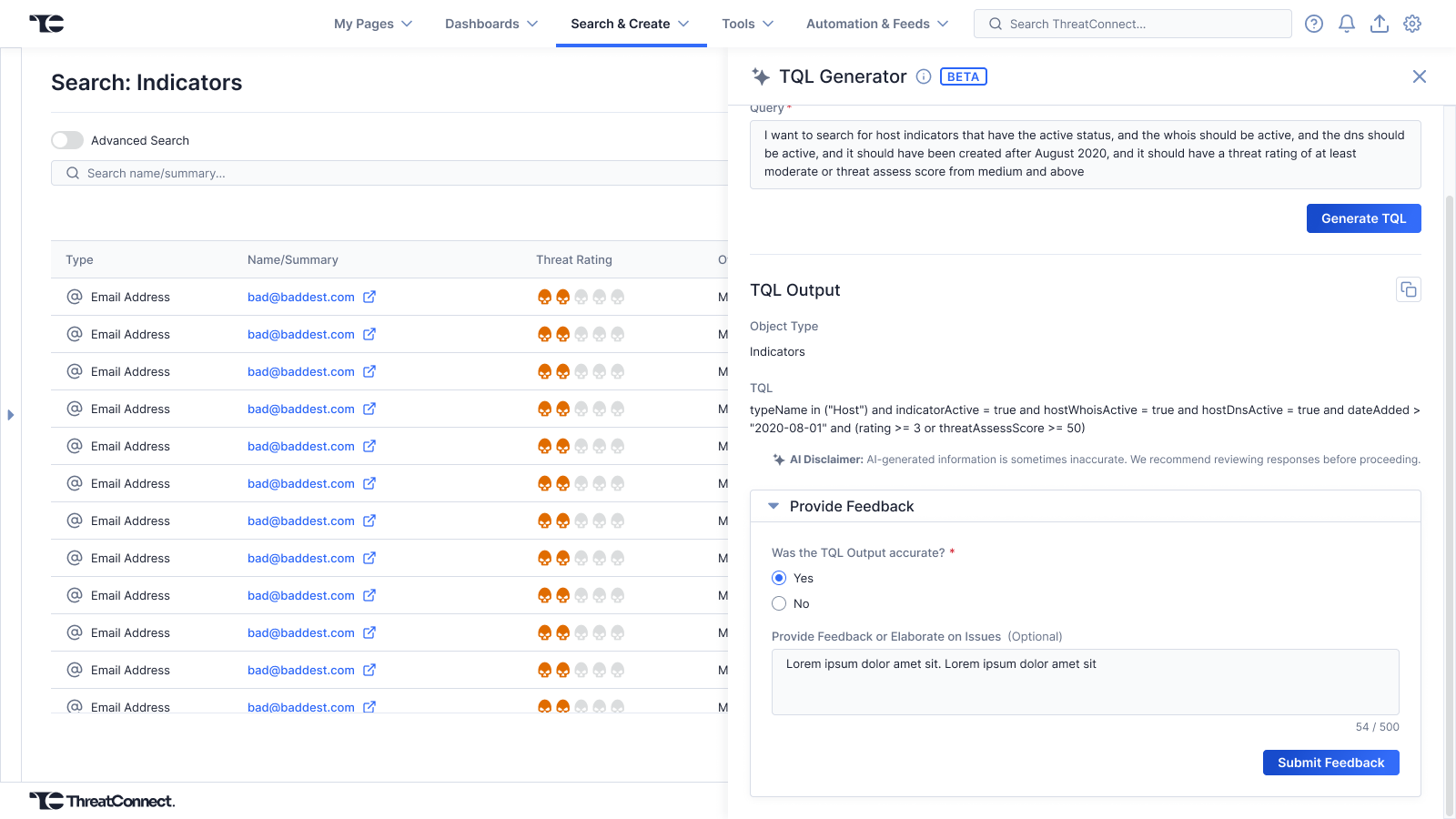
LLM Data Loop
To continuously mature the model, I included a feedback mechanism to close the loop between the user's experience & the engineering data pipelines. Rather than a binary accuracy control, this mechanism allowed a freeform text area where the users could specify any specific issues they encountered. This data was routed directly to the LLM engineering team, providing them with context that could be used to refine the model and patch syntax issues.
Back to Work List